
Description
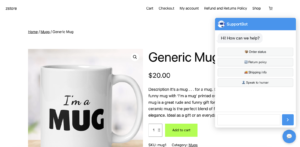
SupportBot is a lightweight WooCommerce customer support chat bot for stores that want practical customer self-service without adding a heavy live chat or ticket system.
It helps customers get common order and store answers from a storefront chat interface, while giving store owners admin-side controls, logs, notifications and safe order-related workflows.
What SupportBot Helps With
- WooCommerce order status lookup from the chat window
- Shipping information and return policy replies
- Secure shipping and billing address update via chat
- Admin – Customer communication via WooCommerce notes
- Product questions and product search
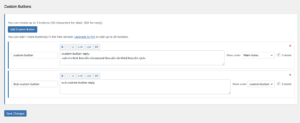
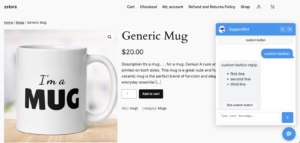
- Custom quick reply buttons and nested custom button flows
- Optional human contact button for stores with a monitored support channel
- Logged-in customer access to previous orders
Order Notes and Notifications
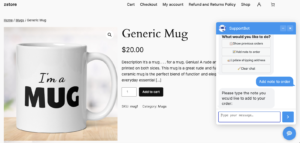
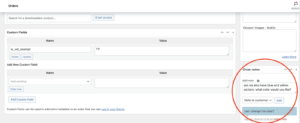
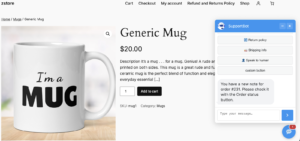
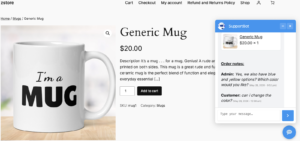
SupportBot uses WooCommerce’s native order notes system for order-specific communication. Customers can add a note about an order through the chat bot, and admins can reply from the standard WooCommerce order screen.
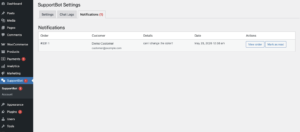
When a customer adds a note, admins are notified by email and through the SupportBot notifications tab. When an admin replies with a customer-visible order note, customers are notified by email and also through the chat interface if they are logged in.
Secure Address Update Flow
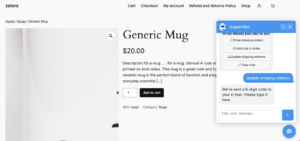
Store owners can allow shipping address changes, billing address changes or both. Before saving an address update, SupportBot sends an email verification code so the change is confirmed by the customer.
- Shipping and billing address changes can be controlled separately
- By default, address changes are allowed only while an order is Processing
- Pro users can choose additional allowed order statuses
- Pro users can adjust address change limits and time windows
Admin Controls
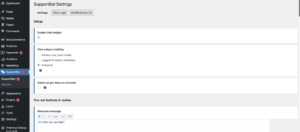
- Enable the chat bot for admins only, logged-in customers or everyone
- Configure pre-set replies for order status, shipping info, return policy and human contact
- Create custom buttons and chat flows for store-specific questions & answers
- Customizable chat interface with adjustable welcome and fallback messages, colors, avatar, chat window header text and chat widget position
- Review chat logs and note notifications from the WordPress admin area
Choose Free or Pro
Start with the free version for essential WooCommerce self-service support, then upgrade to Pro when you want deeper control over the chat bot experience and order workflows.
Free
For stores that need practical customer self-service.
$0
- Order status lookup from the chat window
- Shipping info, return policy and human contact replies
- Customer-admin messaging through WooCommerce order notes
- Email verification for shipping and billing address updates
- Up to 20 custom quick reply buttons
- Chat logs and admin notifications
Pro
For stores that want more branding and workflow control.
From $5/mo
- Everything in Free
- Custom chat colors, avatar and chat window header text
- Adjustable address change limits and time windows
- Custom order statuses for address changes
- Custom order statuses for customer note adding
- Single-site and 5-site license options
Payments, licenses and renewals for Pro are handled securely by Freemius. The free version is available from the official WordPress.org Plugin Directory.
Requirements
- WordPress 5.8 or higher
- PHP 7.4 or higher
- WooCommerce 7.0 or higher